
Published • 22 Oct 2026
A guest checks in after the restaurant has closed. They’re hungry, need a cold drink, or realize they forgot a travel essential. What can they get without leaving the hotel—or asking a busy front desk to find it?
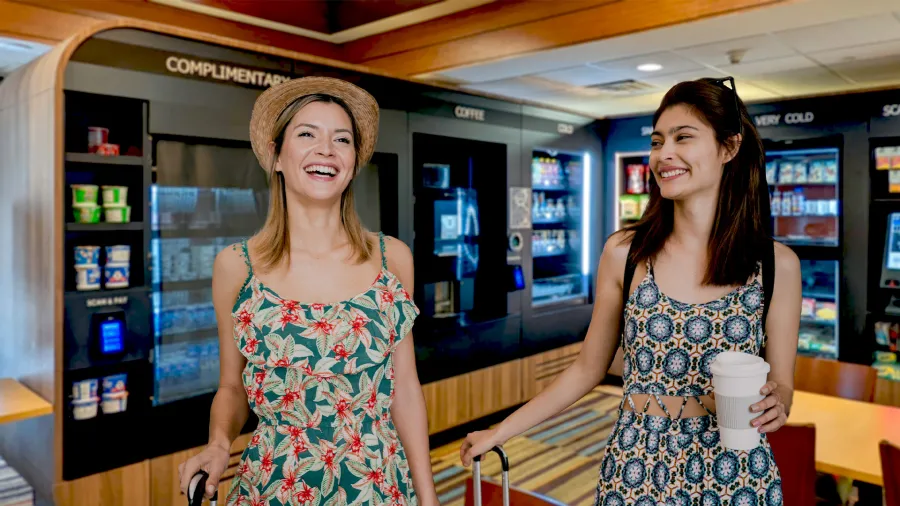
Self-service retail can help fill that gap. A lobby market, smart cooler, or smart cabinet gives guests another way to find food, drinks, and essentials on their own schedule. The right setup depends on the property, the space, and what guests are likely to need.
Why do hotel guests need options beyond restaurant hours?
Hotel guests don’t all arrive, leave, or get hungry at the same time. When dining options are limited to set hours, guests who check in late or leave early may have fewer convenient choices.
An on-site option can help guests find what they need without leaving the property. The challenge is making it practical for hotel teams to manage and straightforward for guests to use.
How can self-service retail help hotel teams?
A staffed shop or food counter requires someone to serve guests and process purchases. Self-service gives guests another way to shop, making selected items available outside staffed dining hours.
This doesn’t replace the personal service hotel staff provide. It offers another option for routine purchases so that staff can focus on other guest needs.
What kinds of self-service options can hotels offer?
The right format depends on the available space, the products a hotel wants to offer, and how guests will use it.
- A micro market works like a small, self-checkout shop. Guests browse shelves and coolers, then scan and pay at a kiosk. Impulsify’s ShopPop kiosk can provide checkout for a hotel market.
- A smart cooler can offer chilled food and drinks. With PicoCooler Vision, the system recognizes selected items.
- A smart cabinet can offer chilled and ambient products in a compact footprint. Stockwell smart cabinets let guests pay, take what they need, and go.
Guests can pay by card or mobile wallet, and some hotel setups also let them charge purchases to their room. That option is available through Impulsify’s ShopPop kiosk and 365 smart stores, so guests can pick up what they need without waiting for help at the front desk.
What should hotels consider before adding a self-service market?
Start with the guest need. Are people looking for late-night snacks, cold drinks, prepared food, or basic travel essentials? The answer can guide both the product mix and the right market format.
It also helps to consider:
- Available space: Match the format to the area.
- Checkout experience: Make it clear how guests select items and pay.
- Payment options: Confirm which methods will work with the property’s setup.
- Operations: Decide who will stock the market and manage its products.
- Placement: Put the option somewhere guests will notice and can access easily.
Thinking through these details early helps the technology fit the guest experience and the property’s operating plan.
How can hotels make the experience feel seamless?
Keep the setup easy to understand. Use clear signs, place the market where guests naturally pass, and stock products that suit the property. Checkout should be simple, whether guests are using a self-checkout kiosk or shopping from a smart cooler.
For hotels with multiple connected Vision Smart Store units, 365’s VisionLink lets shoppers use linked units in one shopping session without restarting checkout at each door.
The aim is to make a useful option feel like a natural part of the stay.
Key takeaways
- Guest schedules can extend beyond restaurant and staffed shop hours.
- Self-service markets and smart stores give hotels another way to offer food, drinks, and essentials on site.
- Some hotel setups support room-charge checkout through Impulsify’s ShopPop kiosk or 365 smart stores.
- The best option depends on guest needs, available space, products, and the property’s operating plan.
Considering ways to extend food and essentials beyond staffed service hours? Explore 365 Retail Markets’ hospitality solutions.